 Get Coverfetch
What properties should a Notion book database have?
A good Notion book database needs only a few properties: Title, Authors, Status, Genres, Pages, Rating, Started and Finished. Add Publisher, Published, ISBN, Summary, Current page and Notes if you'll actually use them. Most of the book details can be filled in automatically, which I'll get to below. Below is the type I'd use for each, why, and what to leave out so the tracker doesn't become a chore.
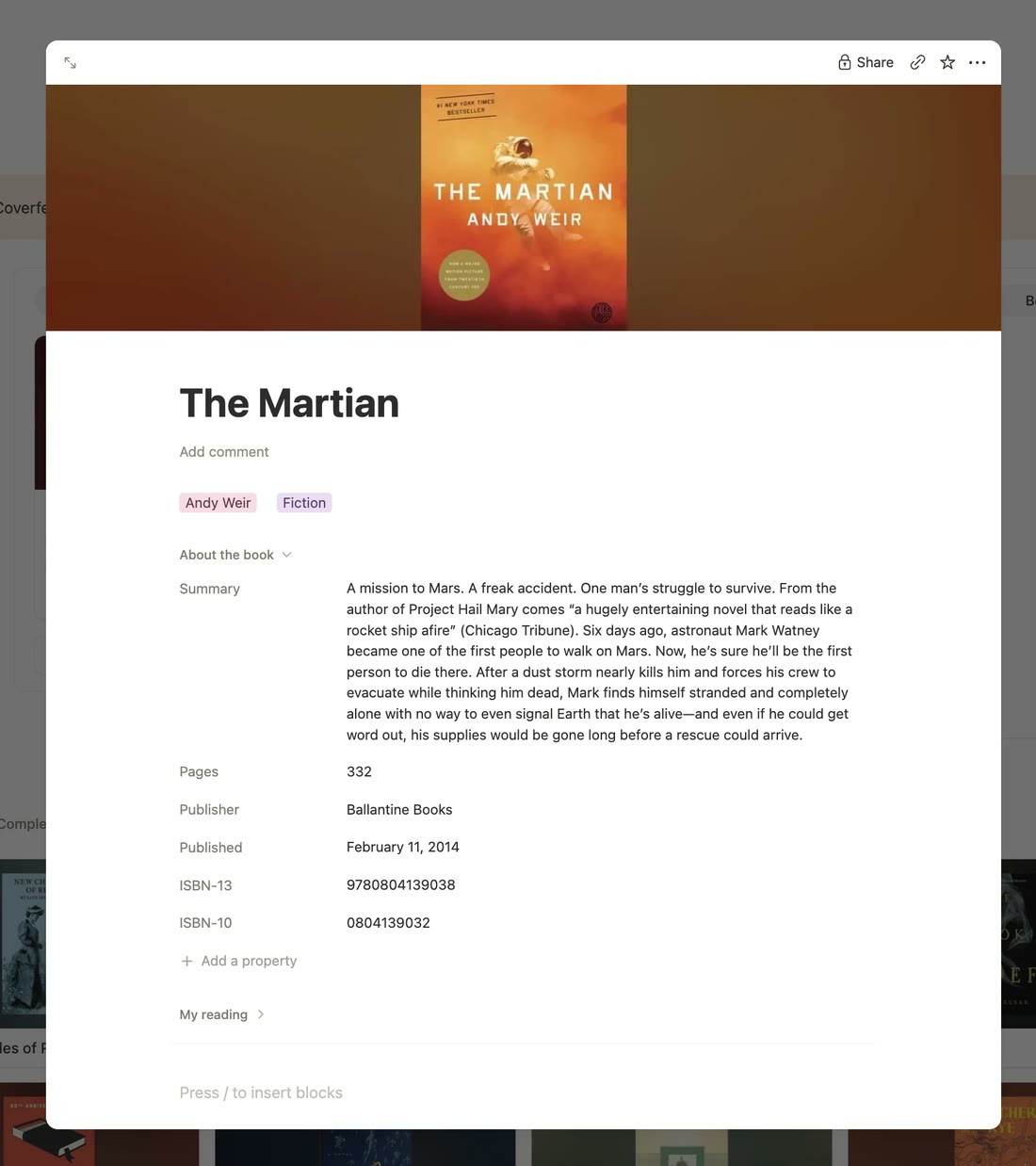
The essentials
| Property | Type | Why |
|---|---|---|
| Title | Title | Every database has one; this is the book's name |
| Authors | Multi-select | One tag per author, so co-written books work and you can filter by author |
| Status | Status | Want to read / Reading / Read, with built-in groups for board views |
| Genres | Multi-select | Filtering, and a "by genre" view |
| Pages | Number | Shows length; needed for a progress bar |
| Rating | Select | Options ★ to ★★★★★ look nicer than a number |
| Started | Date | When you began |
| Finished | Date | When you finished; lets you count books per year |
Nice to have
| Property | Type | Use it if… |
|---|---|---|
| Current page | Number | You want a reading progress bar |
| Publisher | Text | You care about editions or translations |
| Published | Date | You like sorting by publication year |
| ISBN-13 / ISBN-10 | Text | You want to find the exact edition again, or fetch covers by ISBN |
| Summary | Text | You want a reminder of what the book is about |
| Notes | Text | Quotes and thoughts (or write them in the page body instead) |
| Favorite | Checkbox | A quick "best of" view |
Choosing the right property types
- Authors as multi-select, not text. Text can't be filtered cleanly by author. Multi-select gives each author a tag and handles books with two authors.
- Status, not select, for reading state. Status has To-do / In progress / Complete groups, so board views and "is complete" filters just work.
- ISBN as text, not number. ISBN-10s can end in an X, and numbers drop leading zeros.
- Pages as number. Otherwise formulas can't use it.
Let Coverfetch fill most of them in
Most of these properties are facts about the book, not about your reading: author, pages, publisher, published date, ISBN, summary, genres. Typing them in for every book is what makes people give up on their tracker, so I built Coverfetch to do it. Type a title (or ISBN) in a new row, end it with ;, and a few seconds later those properties and the cover are filled in. You only fill in your own part: status, rating, dates and notes.
; in Notion. Everything else fills in by itself.It finds properties by name and type, so plain names matter:
| Coverfetch fills | when the property is called |
|---|---|
| Authors | Author, Authors, Writer |
| Pages | Pages, Page count, Number of pages |
| Summary | Summary, Description, Synopsis, Blurb |
| Published | Published, Publication date, Release date |
| Publisher | Publisher |
| ISBN | ISBN-13, ISBN-10 |
| Genres | Genres, Genre (it uses your existing options) |
Capital letters, spaces and dashes don't matter, and it never overwrites anything you've already typed. It's $49 once; without it, the same names still make your database easier to read and share.
What to leave out
The most common reason people abandon a Notion reading tracker is that it's too much work per book. Things I'd skip unless you're sure you'll use them:
- Separate properties for every format (hardback, ebook, audiobook). One select is enough.
- "Recommended by", "Where I bought it", "Price". Fun for a week.
- Multiple rating scales. One rating is plenty.
- Relation databases for authors or series, unless you have hundreds of books by the same authors.
You can always add a property later. Removing one you've half-filled is more annoying.
FAQ
Should Authors be text or multi-select in Notion?
Multi-select. It lets you filter by author and handles books with more than one author.
What property type should ISBN be?
Text. ISBN-10s can end in X, and number properties drop leading zeros.
Do I need a separate "Read" checkbox?
No. A Status property with a Read option (in the Complete group) does the job and works with board views.
Next: put these into a full reading tracker setup, and add covers to your gallery.
Fill your Notion reading list automatically
Type a book's title followed by ; in Notion and Coverfetch fills in the cover, author, genres, page count and summary.