 Get Coverfetch
How to make a reading progress bar in Notion
To make a reading progress bar in Notion, add two number properties, Current page and Pages, then a formula property that divides one by the other. Set the formula's number format to Percent and show it as a Bar. Every time you update the page you're on, the bar moves.
Step 1: Add the two number properties
In your book database, add:
- Pages (Number): the book's total page count.
- Current page (Number): the page you're on now.
If your database already has a page count property with a different name, use that name in the formula below.
Getting the page count without looking it up
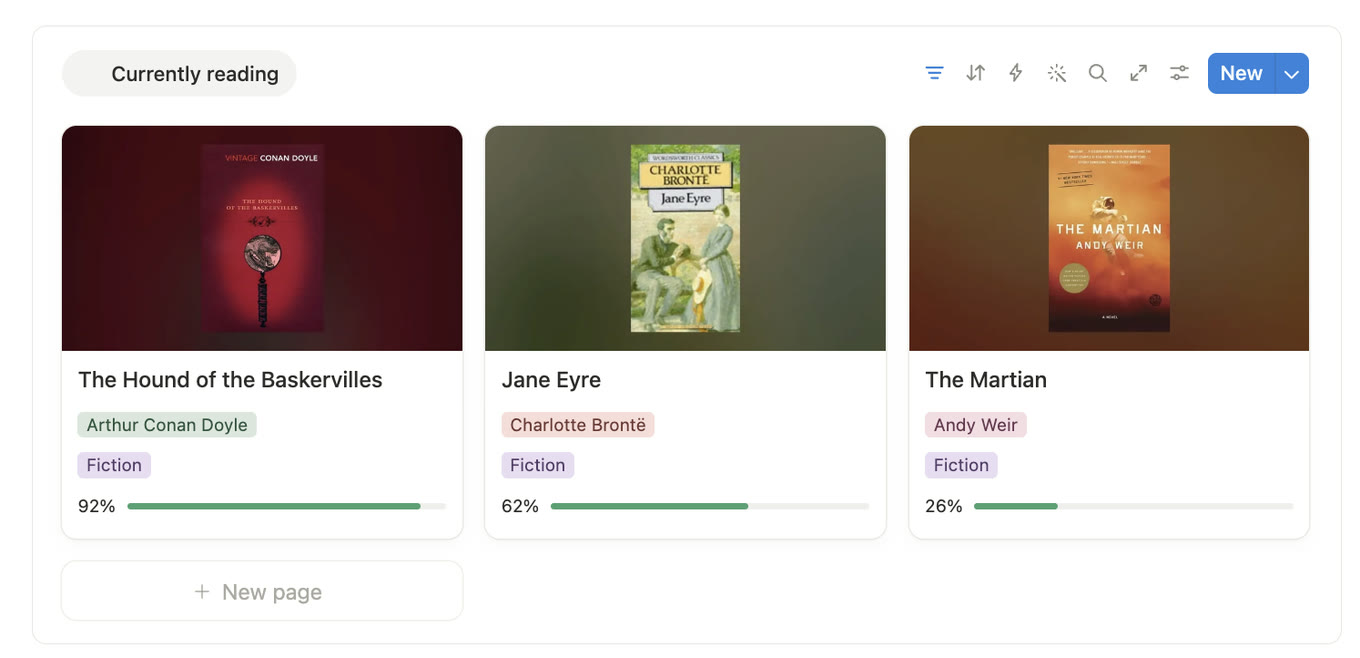
The bar needs Pages filled in for every book. You can copy it from the back of the book, or let Coverfetch do it: type the book's title followed by ; in a new row and it fills Pages, along with the cover, author, summary and other details. That's how every book in the screenshot above got its page count.
Step 2: Add the formula
Add a new property, choose Formula, call it Progress, and paste:
if(prop("Status") == "Finished", 1, if(empty(prop("Pages")) or empty(prop("Current page")), 0, min(round(prop("Current page") / prop("Pages") * 100) / 100, 1)))This is the exact formula from my own bookshelf. What it does:
- If the book's Status is Finished, it shows 100%, even if you never updated the page number.
- If Pages or Current page is empty, it shows 0% instead of an error.
- Otherwise it divides Current page by Pages and rounds to a whole percent.
min(…, 1)caps it at 100%, in case you type a page past the end (appendices, I'm looking at you).
If your "done" status has a different name, like Read, change "Finished" to match. If you don't use a Status property at all, this shorter version works on its own:
if(empty(prop("Pages")) or empty(prop("Current page")), 0, min(prop("Current page") / prop("Pages"), 1))Step 3: Show it as a bar
Click the Progress property → Edit property, then:
- Number format: Percent
- Show as: Bar (Ring is also nice on gallery cards)
- Pick a colour and keep Divide by at 1. The formula already returns a value between 0 and 1.
Step 4: Put it on your cards
In a gallery or board view (for example, a "Currently reading" view filtered to Status is Reading), open ⋯ → Properties and turn Progress on. Each card now has a bar under the cover.
Variation: show "84 / 320" instead of a bar
Add a second formula property with:
format(prop("Current page")) + " / " + format(prop("Pages"))This returns text, so it can't be shown as a bar. Keep it alongside Progress if you want both.
FAQ
Why does my Notion progress bar show 0%?
Either Pages is empty or Current page is empty. Fill both.
Why does my progress bar go over 100%?
You're using the plain division without min(…, 1). Use the formula in Step 2.
Can I track audiobooks the same way?
Yes. Use minutes instead of pages: Current minute and Length (minutes), same formula.
This bar is one piece of a bigger setup: see which properties a Notion book database needs and the full reading tracker guide.
Fill your Notion reading list automatically
Type a book's title followed by ; in Notion and Coverfetch fills in the cover, author, genres, page count and summary.